Yep, we may get a tiny thank-you (read: commission) when you buy through
links on Gadgetspotr — not enough for a yacht, but enough to keep the lights (and
servers) on.
Learn more
20
Highlights
34
Differences
6
Reactions
0
Likes
Creality CR-Scan Ferret SE
vs
Creality CR-Scan Ferret Pro:
20 Highlights & 34 Differences —
Who Delivers The Best Value For Different Users?
Decide between cost-effectiveness and advanced capabilities. Discover what matches your scanning requirements.
Trying to decide between Creality CR-Scan Ferret SE and Creality CR-Scan Ferret Pro? This side-by-side comparison covers the scanner category, intended use, scanning method & frames per second and extras that actually matter in a 3d scanners.
Creality CR-Scan Ferret SE vs. Pro: Which 3D Scanner Fits Your Needs?
The Creality CR-Scan Ferret SE and the CR-Scan Ferret Pro represent two compelling options within the consumer 3D scanner market, both relying on structured light scanning technology and supporting handheld operation to capture detailed textures and shapes. While they share many features, such as dual-camera setups with infrared capabilities, ergonomic plastic bodies, and compatibility with a wide range of operating systems, including Windows, macOS, Android, and iOS, their distinctions carve out unique uses for each device. The SE emphasizes portability with an ultralight design and supports turntable scanning, ideal for smaller objects. At the same time, the Pro delivers greater versatility via fixed scanning mode, a longer scanning range supporting larger objects, and automatic calibration for more professional workflows.
A Lightweight and Agile Option: The Ferret SE
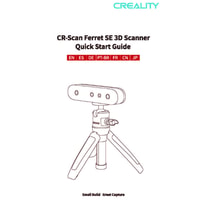
The CR-Scan Ferret SE's featherweight design at just 0.23 lbs clearly targets users who value portability above all. Despite its compactness, this scanner doesn't compromise on core capabilities. With a high scan stability and a consistent 30 frames per second, it captures fine details with a 0.0039 mm single scan accuracy. One highlight is its turntable scanning compatibility, perfect for users looking to digitize smaller objects with ease, complemented by a generous 21.65 cm depth of field for efficient close-range captures. The SE's use of LED light sources combined with a marker-based scanning technique further enhances versatility across diverse materials, including shiny and organic shapes.
Powered solely by an external power supply, it offers prolonged use without worrying about battery limitations. Connectivity options include fast USB 3.0 and Wi-Fi, with intuitive software that supports features like real-time preview, texture mapping, and comprehensive mesh editing tools. Its streamlined design, accompanied by anti-scratch protection, makes it reliable for outdoor use and rugged enough against vibrations.
Exploring the Powerful and Versatile Ferret Pro
For users seeking greater scanning flexibility, the Ferret Pro's dual scanning modes (handheld and fixed) are a considerable advantage. This scanner can handle much larger objects with a maximum scan dimension of 78.7 cm, enabling its use in arenas ranging from education to AR/VR applications and reverse engineering of sizable industrial components.
The Pro's infrared light source offers a noteworthy reduction in surface noise, generating cleaner scans with a fine 0.006 mm point distance. Another edge is its automatic calibration on demand, streamlining the setup process for frequent users and reducing downtime. It comes complete with useful accessories such as a carrying case, enabling convenient transport despite its larger footprint; weighing 2.81 lbs and measuring significantly larger overall.
The built-in lithium-ion battery grants around 2.5 hours of untethered operation, freeing users from the need for constant external power. Its ergonomic design, paired with anti-scratch casing and indicator lights, supports usage in varied environments. The software matches that of the SE, offering identical, powerful tools for alignment, smoothing, and exporting meshes in multiple formats with color data.
Quick Take
The Creality CR-Scan Ferret SE shines for those craving a sleek, portable, and budget-friendly handheld scanner with the unique bonus of turntable scanning. Meanwhile, the CR-Scan Ferret Pro caters well to professionals or hobbyists who want larger object scanning, fixed scanning modes, and wireless freedom thanks to its integrated battery. Both units provide excellent scan quality and user-friendly software, but their distinct strengths appeal to slightly different target audiences.
Bottom Line
If portability, affordability, and effective handheld scanning dominate your priorities, the $199 CR-Scan Ferret SE is an excellent pick. On the other hand, if you require both handheld and fixed scanning capabilities, larger scan volumes, and are ready to invest more for automatic calibration and wireless features, the CR-Scan Ferret Pro stands out as the superior option.
Verdict
Winner: CR-Scan Ferret Pro - Offers greater scanning versatility, automatic calibration, longer wireless run time, and better noise reduction for cleaner scans.
Runner-up: CR-Scan Ferret SE - Ideal for users focused on portability, budget, compactness, and turntable scanning for smaller objects.
Check prices in other stores, maybe you'll find a cheaper Creality CR-Scan Ferret Pro
(✱) Prices may be changed at any time without further notice.
Comparisons & Facts
154
Side by side. The numbers. The features. No drama.
We compared Creality CR-Scan Ferret SE and Creality CR-Scan Ferret Pro the way spec nerds would: full breakdowns, user talk, use cases, and performance facts that matter.
Both Creality CR-Scan Ferret SE and Pro fall under the consumer scanner category, targeting hobbyists and professionals looking for accessible 3D scanning solutions.
Indicates the market segment and typical performance class of the scanner.
In the battle of Scanner Category,
Creality CR-Scan Ferret SE ◉ is
same as
Creality CR-Scan Ferret Pro ◉
.
Don’t keep it to yourself — be the first to react and review the
Scanner Category on Creality CR-Scan Ferret SE ◉
vs Creality CR-Scan Ferret Pro ◉ and help others decide!
Creality CR-Scan Ferret SE was released in 2024, while the Pro model came out in 2023. The newer SE might have slight improvements or updates, making it more suitable for users wanting the latest technology.
Shows the year the scanner model was first introduced to the market.
In the battle of Release Year,
Creality CR-Scan Ferret SE ◉ is
same as
Creality CR-Scan Ferret Pro ◉
.
Don’t keep it to yourself — be the first to react and review the
Release Year on Creality CR-Scan Ferret SE ◉
vs Creality CR-Scan Ferret Pro ◉ and help others decide!
0
Creality CR-Scan Ferret SE
1Votes
Structured Light
0
Creality CR-Scan Ferret Pro
0Votes
Structured Light
vs
Scanning Method
The scanning method for both Creality CR-Scan Ferret SE and Pro is Structured Light. This advanced technique ensures high precision in scanning, ideal for users seeking detailed and reliable 3D scans with both models.
Identifies the core technology used to capture 3D data.
In the battle of Scanning Method,
Creality CR-Scan Ferret SE ◉ is
same as
Creality CR-Scan Ferret Pro ◉
.
Based on community votes for Scanning Method,
Creality CR-Scan Ferret SE ◉ earned
1 votes,
more than
Creality CR-Scan Ferret Pro ◉,
which got 0 votes.
0
Creality CR-Scan Ferret SE
0Votes
Reverse Engineering, 3D Printing
0
Creality CR-Scan Ferret Pro
0Votes
3D Printing, Design, Education, AR/VR, Reverse Engineering
vs
Intended Use
The Pro supports a broader intended use including 3D Printing, Design, Education, AR/VR, and Reverse Engineering, while SE focuses on Reverse Engineering and 3D Printing. Pro is more versatile for diverse applications.
Describes the primary applications the scanner is designed for.
In the battle of Intended Use,
Creality CR-Scan Ferret SE ◉ is
same as
Creality CR-Scan Ferret Pro ◉
.
Don’t keep it to yourself — be the first to react and review the
Intended Use on Creality CR-Scan Ferret SE ◉
vs Creality CR-Scan Ferret Pro ◉ and help others decide!
Both Creality CR-Scan Ferret SE and Creality CR-Scan Ferret Pro offer portability, making them easy to transport for scanning tasks. This feature suits users who need mobile scanning solutions, so either model works well for on-the-go 3D scanning.
Indicates whether the scanner is designed to be easily carried and used in different locations.
In the battle of Portability,
Creality CR-Scan Ferret SE ◉ is
same as
Creality CR-Scan Ferret Pro ◉
.
Don’t keep it to yourself — be the first to react and review the
Portability on Creality CR-Scan Ferret SE ◉
vs Creality CR-Scan Ferret Pro ◉ and help others decide!
Country of Manufacture
Where is the scanner manufactured?
0
Creality CR-Scan Ferret SE
0Votes
China
0
Creality CR-Scan Ferret Pro
0Votes
China
Creality CR-Scan Ferret Pro
Manufactured in China, which provides the country of origin information relevant for customs, support, and warranty considerations.
Indicates where the scanner is primarily manufactured or assembled.
In the battle of Country of Manufacture,
Creality CR-Scan Ferret SE ◉ is
same as
Creality CR-Scan Ferret Pro ◉
.
Don’t keep it to yourself — be the first to react and review the
Country of Manufacture on Creality CR-Scan Ferret SE ◉
vs Creality CR-Scan Ferret Pro ◉ and help others decide!
Product Type
What is the product type?
0
Creality CR-Scan Ferret SE
0Votes
Desktop
0
Creality CR-Scan Ferret Pro
0Votes
Handheld
Defines the physical and functional form factor of the 3D scanner.
In the battle of Product Type,
Creality CR-Scan Ferret SE ◉ is
same as
Creality CR-Scan Ferret Pro ◉
.
Don’t keep it to yourself — be the first to react and review the
Product Type on Creality CR-Scan Ferret SE ◉
vs Creality CR-Scan Ferret Pro ◉ and help others decide!
Mounting Type
How is the scanner mounted?
0
Creality CR-Scan Ferret SE
0Votes
Handheld, Tripod
0
Creality CR-Scan Ferret Pro
0Votes
Handheld, Tripod
Specifies how the scanner can be positioned or supported during use.
In the battle of Mounting Type,
Creality CR-Scan Ferret SE ◉ is
same as
Creality CR-Scan Ferret Pro ◉
.
Don’t keep it to yourself — be the first to react and review the
Mounting Type on Creality CR-Scan Ferret SE ◉
vs Creality CR-Scan Ferret Pro ◉ and help others decide!
The frame rate on both Creality CR-Scan Ferret SE and Pro is 30 fps, supporting smooth and responsive scanning experiences in real-time preview modes.
Represents the number of frames captured per second during scanning.
In the battle of Frames Per Second,
Creality CR-Scan Ferret SE ◉ is
same as
Creality CR-Scan Ferret Pro ◉
, delivering
equal
30.00 fps
measurement.
Don’t keep it to yourself — be the first to react and review the
Frames Per Second on Creality CR-Scan Ferret SE ◉
vs Creality CR-Scan Ferret Pro ◉ and help others decide!
Who knows?
0Votes
Creality CR-Scan Ferret SE
(Help us out by suggesting one!)
1
sec
0Votes
vs
Single Scan Time
Creality CR-Scan Ferret SE does not provide a single scan time value, but the Pro completes a scan in 1 second, showing a clear speed advantage for the Pro model suitable for users valuing quick scans.
Measures the time required to complete a single scan pass.
Don’t keep it to yourself — be the first to react and review the
Single Scan Time on Creality CR-Scan Ferret SE ◉
vs Creality CR-Scan Ferret Pro ◉ and help others decide!
Both scanners offer high scan stability, ensuring reliable and consistent output during scanning sessions, making either a dependable choice for detailed 3D capture.
Describes how stable and consistent scans remain during movement.
In the battle of Scan Stability,
Creality CR-Scan Ferret SE ◉ is
same as
Creality CR-Scan Ferret Pro ◉
.
Don’t keep it to yourself — be the first to react and review the
Scan Stability on Creality CR-Scan Ferret SE ◉
vs Creality CR-Scan Ferret Pro ◉ and help others decide!
Neither Creality CR-Scan Ferret SE nor Pro requires rescanning, simplifying scanning workflows and saving time for users by minimizing repeated scans.
Shows whether rescanning is often needed to complete a model.
In the battle of Rescan Requirement,
Creality CR-Scan Ferret SE ◉ is
same as
Creality CR-Scan Ferret Pro ◉
.
Don’t keep it to yourself — be the first to react and review the
Rescan Requirement on Creality CR-Scan Ferret SE ◉
vs Creality CR-Scan Ferret Pro ◉ and help others decide!
Both models feature motion compensation, allowing for effective scanning even with slight movements, beneficial to users scanning handheld or in dynamic environments.
Indicates support for compensating object or operator movement.
In the battle of Motion Compensation,
Creality CR-Scan Ferret SE ◉ is
same as
Creality CR-Scan Ferret Pro ◉
.
Don’t keep it to yourself — be the first to react and review the
Motion Compensation on Creality CR-Scan Ferret SE ◉
vs Creality CR-Scan Ferret Pro ◉ and help others decide!
Scan Speed
What is the scan speed?
30
fps
0Votes
30
fps
0Votes
Creality CR-Scan Ferret SE
The scan speed is 30 frames per second, which enables smooth and rapid data acquisition, crucial for capturing detailed scans quickly.
Indicates how quickly the scanner captures spatial data during operation.
In the battle of Scan Speed,
Creality CR-Scan Ferret SE ◉ is
same as
Creality CR-Scan Ferret Pro ◉
, delivering
equal
30.00 fps
measurement.
Don’t keep it to yourself — be the first to react and review the
Scan Speed on Creality CR-Scan Ferret SE ◉
vs Creality CR-Scan Ferret Pro ◉ and help others decide!
Real-Time Processing
Is real-time processing available?
Yes
0Votes
Creality CR-Scan Ferret SE
Yes
0Votes
Creality CR-Scan Ferret Pro
Creality CR-Scan Ferret Pro
Performs processing in real time, allowing you to see scan results immediately and accelerate iterative workflows.
Shows whether scan data is processed live during capture.
In the battle of Real-Time Processing,
Creality CR-Scan Ferret SE ◉ is
same as
Creality CR-Scan Ferret Pro ◉
.
Don’t keep it to yourself — be the first to react and review the
Real-Time Processing on Creality CR-Scan Ferret SE ◉
vs Creality CR-Scan Ferret Pro ◉ and help others decide!
Continuous Scan
Does it support continuous scanning?
Yes
0Votes
Creality CR-Scan Ferret SE
Yes
0Votes
Creality CR-Scan Ferret Pro
Indicates whether the scanner supports uninterrupted continuous scanning.
In the battle of Continuous Scan,
Creality CR-Scan Ferret SE ◉ is
same as
Creality CR-Scan Ferret Pro ◉
.
Don’t keep it to yourself — be the first to react and review the
Continuous Scan on Creality CR-Scan Ferret SE ◉
vs Creality CR-Scan Ferret Pro ◉ and help others decide!
Tracking Performance
How good is the tracking performance?
0
Creality CR-Scan Ferret SE
0Votes
Good
0
Creality CR-Scan Ferret Pro
0Votes
Excellent
Indicates how well the scanner maintains tracking of the object.
In the battle of Tracking Performance,
Creality CR-Scan Ferret SE ◉ is
same as
Creality CR-Scan Ferret Pro ◉
.
Don’t keep it to yourself — be the first to react and review the
Tracking Performance on Creality CR-Scan Ferret SE ◉
vs Creality CR-Scan Ferret Pro ◉ and help others decide!
Multi-Scan Alignment
Does it support multi-scan alignment?
Yes
0Votes
Creality CR-Scan Ferret SE
Yes
0Votes
Creality CR-Scan Ferret Pro
Specifies whether multiple scans can be automatically aligned.
In the battle of Multi-Scan Alignment,
Creality CR-Scan Ferret SE ◉ is
same as
Creality CR-Scan Ferret Pro ◉
.
Don’t keep it to yourself — be the first to react and review the
Multi-Scan Alignment on Creality CR-Scan Ferret SE ◉
vs Creality CR-Scan Ferret Pro ◉ and help others decide!
Single scan accuracy is identical at 0.0039 inches for both Creality CR-Scan Ferret SE and Pro, offering high precision scans suitable for professional use cases.
Measures the dimensional deviation within a single scan capture.
In the battle of Single Scan Accuracy,
Creality CR-Scan Ferret SE ◉ is
same as
Creality CR-Scan Ferret Pro ◉
, delivering
equal
0.00 inch
measurement.
Based on community votes for Single Scan Accuracy,
Creality CR-Scan Ferret SE ◉ earned
0 votes,
less than
Creality CR-Scan Ferret Pro ◉,
which got 1 votes.
Point distance for SE is 0.0063 inches, slightly larger than Pro's 0.006 inches. The Pro's finer point distance offers better detail capture, ideal for high-detail scanning needs.
Defines the distance between captured data points on the surface.
In the battle of Point Distance,
Creality CR-Scan Ferret SE ◉ is
worse than
Creality CR-Scan Ferret Pro ◉
, delivering
equal
0.01 inch
measurement.
Don’t keep it to yourself — be the first to react and review the
Point Distance on Creality CR-Scan Ferret SE ◉
vs Creality CR-Scan Ferret Pro ◉ and help others decide!
Both scanners have high detail capture quality, ensuring users can expect rich and detailed scan outputs regardless of the model chosen.
Describes how well small features and textures are preserved.
In the battle of Detail Capture Quality,
Creality CR-Scan Ferret SE ◉ is
same as
Creality CR-Scan Ferret Pro ◉
.
Don’t keep it to yourself — be the first to react and review the
Detail Capture Quality on Creality CR-Scan Ferret SE ◉
vs Creality CR-Scan Ferret Pro ◉ and help others decide!
Surface noise level is medium on the SE versus low on the Pro, meaning Pro produces cleaner scans with less noise, better suited for users requiring finer surface quality.
Reflects the amount of unwanted surface artifacts in scans.
In the battle of Surface Noise Level,
Creality CR-Scan Ferret SE ◉ is
same as
Creality CR-Scan Ferret Pro ◉
.
Don’t keep it to yourself — be the first to react and review the
Surface Noise Level on Creality CR-Scan Ferret SE ◉
vs Creality CR-Scan Ferret Pro ◉ and help others decide!
Who knows?
0Votes
Creality CR-Scan Ferret SE
(Help us out by suggesting one!)
0.02
inch
0Votes
vs
Accuracy Degradation Range
Creality CR-Scan Ferret SE has no available data on accuracy degradation range, while the Pro's range is 0.02 inches, indicating Pro offers measurable accuracy metrics relevant to precision-critical tasks.
Measures how accuracy declines at extreme distances or volumes.
Don’t keep it to yourself — be the first to react and review the
Accuracy Degradation Range on Creality CR-Scan Ferret SE ◉
vs Creality CR-Scan Ferret Pro ◉ and help others decide!
Resolution Level
What is the resolution level?
0.01
inch
0Votes
0.01
inch
0Votes
Creality CR-Scan Ferret SE
Resolution level is 0.0063 inch, approximately 0.016 cm, indicating the fine detail the scanner can resolve in its captured meshes.
Creality CR-Scan Ferret Pro
Nominal resolution level is 0.0063 inch, which converts to approximately 0.0160 cm, indicating the scanner captures fine surface detail.
Represents the smallest detail size the scanner can resolve.
In the battle of Resolution Level,
Creality CR-Scan Ferret SE ◉ is
same as
Creality CR-Scan Ferret Pro ◉
, delivering
equal
0.01 inch
measurement.
Don’t keep it to yourself — be the first to react and review the
Resolution Level on Creality CR-Scan Ferret SE ◉
vs Creality CR-Scan Ferret Pro ◉ and help others decide!
Edge Sharpness
How sharp are captured edges?
0
Creality CR-Scan Ferret SE
0Votes
Moderate
0
Creality CR-Scan Ferret Pro
0Votes
Sharp
Creality CR-Scan Ferret Pro
Described as Sharp edge sharpness, meaning the scanner captures clear transitions and fine edges with good definition.
Indicates how clearly edges and boundaries are defined.
In the battle of Edge Sharpness,
Creality CR-Scan Ferret SE ◉ is
same as
Creality CR-Scan Ferret Pro ◉
.
Don’t keep it to yourself — be the first to react and review the
Edge Sharpness on Creality CR-Scan Ferret SE ◉
vs Creality CR-Scan Ferret Pro ◉ and help others decide!
Volumetric Accuracy
What is the volumetric accuracy?
0
inch
0Votes
0.01
inch
0Votes
Indicates accuracy across the entire scanned volume.
In the battle of Volumetric Accuracy,
Creality CR-Scan Ferret SE ◉ is
worse than
Creality CR-Scan Ferret Pro ◉
, delivering
equal
0.00 inch
measurement.
Don’t keep it to yourself — be the first to react and review the
Volumetric Accuracy on Creality CR-Scan Ferret SE ◉
vs Creality CR-Scan Ferret Pro ◉ and help others decide!
Measurement Repeatability
How repeatable are measurements?
0
inch
0Votes
0.01
inch
0Votes
Shows how consistent measurements are across repeated scans.
In the battle of Measurement Repeatability,
Creality CR-Scan Ferret SE ◉ is
worse than
Creality CR-Scan Ferret Pro ◉
, delivering
equal
0.00 inch
measurement.
Don’t keep it to yourself — be the first to react and review the
Measurement Repeatability on Creality CR-Scan Ferret SE ◉
vs Creality CR-Scan Ferret Pro ◉ and help others decide!
Calibration Accuracy
What is the calibration accuracy?
Who knows?
0Votes
Creality CR-Scan Ferret SE
(Help us out by suggesting one!)
0.01
inch
0Votes
Indicates accuracy achieved after proper calibration.
Don’t keep it to yourself — be the first to react and review the
Calibration Accuracy on Creality CR-Scan Ferret SE ◉
vs Creality CR-Scan Ferret Pro ◉ and help others decide!
Creality CR-Scan Ferret Pro accommodates a maximum object size of 78.7 inches, significantly larger than SE's 32.28 inches, making Pro ideal for scanning large objects or environments.
Shows the largest object dimension supported by the scanner.
In the battle of Maximum Object Size,
Creality CR-Scan Ferret SE ◉ is
worse than
Creality CR-Scan Ferret Pro ◉
, delivering
lower
46.4 inch
measurement.
Based on community votes for Maximum Object Size,
Creality CR-Scan Ferret SE ◉ earned
0 votes,
less than
Creality CR-Scan Ferret Pro ◉,
which got 1 votes.
Minimum scan distance is essentially the same for both: SE at 5.91 inches and Pro at 5.9 inches, offering similar ease in scanning objects close up.
Represents the closest distance the scanner can be to the object.
In the battle of Minimum Scan Distance,
Creality CR-Scan Ferret SE ◉ is
worse than
Creality CR-Scan Ferret Pro ◉
, delivering
equal
5.91 inch
measurement.
Don’t keep it to yourself — be the first to react and review the
Minimum Scan Distance on Creality CR-Scan Ferret SE ◉
vs Creality CR-Scan Ferret Pro ◉ and help others decide!
The depth of field is larger in SE at 21.65 inches compared to Pro's 15.7 inches. SE may better accommodate objects at varying depths, useful for scanning uneven surfaces.
Describes the usable distance range where objects remain in focus.
In the battle of Depth of Field,
Creality CR-Scan Ferret SE ◉ is
better than
Creality CR-Scan Ferret Pro ◉
, delivering
higher
6.0 inch
measurement.
Don’t keep it to yourself — be the first to react and review the
Depth of Field on Creality CR-Scan Ferret SE ◉
vs Creality CR-Scan Ferret Pro ◉ and help others decide!
0
Creality CR-Scan Ferret SE
0Votes
150 x 150 x 150 mm
Who knows?
0Votes
Creality CR-Scan Ferret Pro
(Help us out by suggesting one!)
vs
Minimum Scan Volume
The SE has a minimum scan volume of 150 x 150 x 150 mm, while the Pro does not provide this spec. SE is more suitable for scanning small objects with a minimum size defined.
Describes the smallest effective 3D space the scanner can accurately capture.
Don’t keep it to yourself — be the first to react and review the
Minimum Scan Volume on Creality CR-Scan Ferret SE ◉
vs Creality CR-Scan Ferret Pro ◉ and help others decide!
Who knows?
0Votes
Creality CR-Scan Ferret SE
(Help us out by suggesting one!)
Who knows?
0Votes
Creality CR-Scan Ferret Pro
(Help us out by suggesting one!)
Defines the largest 3D space the scanner can capture in a single or combined scan.
Don’t keep it to yourself — be the first to react and review the
Maximum Scan Volume on Creality CR-Scan Ferret SE ◉
vs Creality CR-Scan Ferret Pro ◉ and help others decide!
Minimum Object Size
What is the minimum object size?
5.91
inch
0Votes
0.8
inch
0Votes
Creality CR-Scan Ferret Pro
The stated minimum object size is 0.8 inch, which corresponds to 2.03 cm.
Objects smaller than this may not be reliably captured or may require special fixtures.
Indicates the smallest object dimension that can be reliably scanned.
In the battle of Minimum Object Size,
Creality CR-Scan Ferret SE ◉ is
worse than
Creality CR-Scan Ferret Pro ◉
, delivering
higher
5.1 inch
measurement.
Don’t keep it to yourself — be the first to react and review the
Minimum Object Size on Creality CR-Scan Ferret SE ◉
vs Creality CR-Scan Ferret Pro ◉ and help others decide!
Maximum Scan Distance
What is the maximum scan distance?
27.56
inch
0Votes
27.6
inch
0Votes
Creality CR-Scan Ferret SE
Maximum scan distance is 27.56 inch, which converts to 70.00 cm, defining the farthest range the scanner can effectively capture.
Indicates the farthest distance at which scanning remains effective.
In the battle of Maximum Scan Distance,
Creality CR-Scan Ferret SE ◉ is
worse than
Creality CR-Scan Ferret Pro ◉
, delivering
equal
27.56 inch
measurement.
Don’t keep it to yourself — be the first to react and review the
Maximum Scan Distance on Creality CR-Scan Ferret SE ◉
vs Creality CR-Scan Ferret Pro ◉ and help others decide!
Field of View Width
What is the field of view width?
22.05
inch
0Votes
11.8
inch
0Votes
Creality CR-Scan Ferret SE
Field of view width is 22.05 inch or 56.04 cm, allowing broad horizontal coverage in a single scan.
Measures the horizontal capture width in a single scan frame.
In the battle of Field of View Width,
Creality CR-Scan Ferret SE ◉ is
better than
Creality CR-Scan Ferret Pro ◉
, delivering
higher
10.3 inch
measurement.
Don’t keep it to yourself — be the first to react and review the
Field of View Width on Creality CR-Scan Ferret SE ◉
vs Creality CR-Scan Ferret Pro ◉ and help others decide!
Field of View Height
What is the field of view height?
14.96
inch
0Votes
7.9
inch
0Votes
Creality CR-Scan Ferret SE
The field of view height is 14.96 inch, converted to 38.00 cm, allowing a wide vertical capture range per scan.
Measures the vertical capture height in a single scan frame.
In the battle of Field of View Height,
Creality CR-Scan Ferret SE ◉ is
better than
Creality CR-Scan Ferret Pro ◉
, delivering
higher
7.1 inch
measurement.
Don’t keep it to yourself — be the first to react and review the
Field of View Height on Creality CR-Scan Ferret SE ◉
vs Creality CR-Scan Ferret Pro ◉ and help others decide!
Both scanners feature a 2 MP camera resolution, which should provide comparable image detail quality in the captured 3D data.
Specifies the resolution of the capture cameras.
In the battle of Camera Resolution,
Creality CR-Scan Ferret SE ◉ is
same as
Creality CR-Scan Ferret Pro ◉
, delivering
equal
2.00 mp
measurement.
Don’t keep it to yourself — be the first to react and review the
Camera Resolution on Creality CR-Scan Ferret SE ◉
vs Creality CR-Scan Ferret Pro ◉ and help others decide!
The light source type differs: SE uses LED while Pro uses Infrared light, affecting scan quality under different environmental lighting—Pro might perform better in low light.
Describes the type of light used to project patterns or beams.
In the battle of Light Source Type,
Creality CR-Scan Ferret SE ◉ is
same as
Creality CR-Scan Ferret Pro ◉
.
Don’t keep it to yourself — be the first to react and review the
Light Source Type on Creality CR-Scan Ferret SE ◉
vs Creality CR-Scan Ferret Pro ◉ and help others decide!
Each device has 2 cameras, supporting depth perception and greater scan detail, equally benefiting users in creating comprehensive 3D models.
Indicates how many cameras are used for scanning.
In the battle of Number of Cameras,
Creality CR-Scan Ferret SE ◉ is
same as
Creality CR-Scan Ferret Pro ◉
.
Don’t keep it to yourself — be the first to react and review the
Number of Cameras on Creality CR-Scan Ferret SE ◉
vs Creality CR-Scan Ferret Pro ◉ and help others decide!
Infrared capability is included in both Creality CR-Scan Ferret SE and Pro, enhancing scanning performance in diverse lighting conditions.
Indicates whether infrared scanning is supported.
In the battle of Infrared,
Creality CR-Scan Ferret SE ◉ is
same as
Creality CR-Scan Ferret Pro ◉
.
Don’t keep it to yourself — be the first to react and review the
Infrared on Creality CR-Scan Ferret SE ◉
vs Creality CR-Scan Ferret Pro ◉ and help others decide!
Both models use IR Cut optical filters, improving scan accuracy by reducing infrared light interference for clearer scan data.
Describes the type of optical filtering used to improve the quality of captured scans.
In the battle of Optical Filter Type,
Creality CR-Scan Ferret SE ◉ is
same as
Creality CR-Scan Ferret Pro ◉
.
Don’t keep it to yourself — be the first to react and review the
Optical Filter Type on Creality CR-Scan Ferret SE ◉
vs Creality CR-Scan Ferret Pro ◉ and help others decide!
Laser Class
What laser class does it meet?
0
Creality CR-Scan Ferret SE
0Votes
Class 1
0
Creality CR-Scan Ferret Pro
0Votes
Class 1
Creality CR-Scan Ferret Pro
Employs a Class 1 laser, which is considered eye-safe in normal operation and typically does not require special eye protection.
Specifies the laser safety classification.
In the battle of Laser Class,
Creality CR-Scan Ferret SE ◉ is
same as
Creality CR-Scan Ferret Pro ◉
.
Don’t keep it to yourself — be the first to react and review the
Laser Class on Creality CR-Scan Ferret SE ◉
vs Creality CR-Scan Ferret Pro ◉ and help others decide!
Sensor Type
What type of sensor does it use?
0
Creality CR-Scan Ferret SE
0Votes
CMOS
0
Creality CR-Scan Ferret Pro
0Votes
CMOS
Identifies the primary sensor technology used for depth capture.
In the battle of Sensor Type,
Creality CR-Scan Ferret SE ◉ is
same as
Creality CR-Scan Ferret Pro ◉
.
Don’t keep it to yourself — be the first to react and review the
Sensor Type on Creality CR-Scan Ferret SE ◉
vs Creality CR-Scan Ferret Pro ◉ and help others decide!
Light Source Wavelength
What is the light wavelength?
850
nm
0Votes
850
nm
0Votes
Indicates the wavelength of the emitted light.
In the battle of Light Source Wavelength,
Creality CR-Scan Ferret SE ◉ is
same as
Creality CR-Scan Ferret Pro ◉
, delivering
equal
850.00 nm
measurement.
Don’t keep it to yourself — be the first to react and review the
Light Source Wavelength on Creality CR-Scan Ferret SE ◉
vs Creality CR-Scan Ferret Pro ◉ and help others decide!
Color Camera Presence
Is there a color camera?
Yes
0Votes
Creality CR-Scan Ferret SE
Yes
0Votes
Creality CR-Scan Ferret Pro
Shows whether a dedicated color camera is included.
In the battle of Color Camera Presence,
Creality CR-Scan Ferret SE ◉ is
same as
Creality CR-Scan Ferret Pro ◉
.
Don’t keep it to yourself — be the first to react and review the
Color Camera Presence on Creality CR-Scan Ferret SE ◉
vs Creality CR-Scan Ferret Pro ◉ and help others decide!
0
Creality CR-Scan Ferret Pro
0Votes
Handheld, Fixed
vs
Scanning Mode
SE offers handheld scanning mode only, whereas Pro supports both handheld and fixed scanning modes, providing more scanning flexibility for different user scenarios.
Indicates the supported operational scanning modes.
In the battle of Scanning Mode,
Creality CR-Scan Ferret SE ◉ is
same as
Creality CR-Scan Ferret Pro ◉
.
Don’t keep it to yourself — be the first to react and review the
Scanning Mode on Creality CR-Scan Ferret SE ◉
vs Creality CR-Scan Ferret Pro ◉ and help others decide!
Handheld scanning is offered by both models, allowing flexible and portable scanning experiences for users needing mobility.
Shows whether the scanner can be used freely by hand.
In the battle of Handheld Scanning,
Creality CR-Scan Ferret SE ◉ is
same as
Creality CR-Scan Ferret Pro ◉
.
Don’t keep it to yourself — be the first to react and review the
Handheld Scanning on Creality CR-Scan Ferret SE ◉
vs Creality CR-Scan Ferret Pro ◉ and help others decide!
Turntable scanning is supported on SE but not available on Pro, making SE more suitable for scanning smaller objects conveniently on a turntable setup.
Specifies compatibility with turntable-based scanning workflows.
In the battle of Turntable Scanning,
Creality CR-Scan Ferret SE ◉ is
better than
Creality CR-Scan Ferret Pro ◉
.
Don’t keep it to yourself — be the first to react and review the
Turntable Scanning on Creality CR-Scan Ferret SE ◉
vs Creality CR-Scan Ferret Pro ◉ and help others decide!
Both Creality CR-Scan Ferret SE and Pro support marker-based scanning, facilitating accurate alignment and tracking during complex 3D scanning tasks.
Indicates whether physical markers can be used for tracking.
In the battle of Marker-Based Scanning,
Creality CR-Scan Ferret SE ◉ is
same as
Creality CR-Scan Ferret Pro ◉
.
Don’t keep it to yourself — be the first to react and review the
Marker-Based Scanning on Creality CR-Scan Ferret SE ◉
vs Creality CR-Scan Ferret Pro ◉ and help others decide!
Color capture is supported by both scanners, enabling users to create realistic and detailed scans that include color information, enhancing model fidelity.
Shows whether full-color data can be captured during scanning.
In the battle of Color Capture,
Creality CR-Scan Ferret SE ◉ is
same as
Creality CR-Scan Ferret Pro ◉
.
Don’t keep it to yourself — be the first to react and review the
Color Capture on Creality CR-Scan Ferret SE ◉
vs Creality CR-Scan Ferret Pro ◉ and help others decide!
Fixed Scanning
Can it be used in a fixed setup?
Yes
0Votes
Creality CR-Scan Ferret SE
Yes
0Votes
Creality CR-Scan Ferret Pro
Indicates support for stationary or mounted scanning setups.
In the battle of Fixed Scanning,
Creality CR-Scan Ferret SE ◉ is
same as
Creality CR-Scan Ferret Pro ◉
.
Don’t keep it to yourself — be the first to react and review the
Fixed Scanning on Creality CR-Scan Ferret SE ◉
vs Creality CR-Scan Ferret Pro ◉ and help others decide!
Markerless Scanning
Does it support markerless scanning?
Yes
0Votes
Creality CR-Scan Ferret SE
Yes
0Votes
Creality CR-Scan Ferret Pro
Shows whether the scanner can track objects without markers.
In the battle of Markerless Scanning,
Creality CR-Scan Ferret SE ◉ is
same as
Creality CR-Scan Ferret Pro ◉
.
Don’t keep it to yourself — be the first to react and review the
Markerless Scanning on Creality CR-Scan Ferret SE ◉
vs Creality CR-Scan Ferret Pro ◉ and help others decide!
Texture Capture
Can it capture textures?
Yes
0Votes
Creality CR-Scan Ferret SE
Yes
0Votes
Creality CR-Scan Ferret Pro
Indicates whether surface textures can be captured.
In the battle of Texture Capture,
Creality CR-Scan Ferret SE ◉ is
same as
Creality CR-Scan Ferret Pro ◉
.
Don’t keep it to yourself — be the first to react and review the
Texture Capture on Creality CR-Scan Ferret SE ◉
vs Creality CR-Scan Ferret Pro ◉ and help others decide!
HDR
Is HDR supported?
Yes
0Votes
Creality CR-Scan Ferret SE
Yes
0Votes
Creality CR-Scan Ferret Pro
Indicates support for high dynamic range capture.
In the battle of HDR,
Creality CR-Scan Ferret SE ◉ is
same as
Creality CR-Scan Ferret Pro ◉
.
Don’t keep it to yourself — be the first to react and review the
HDR on Creality CR-Scan Ferret SE ◉
vs Creality CR-Scan Ferret Pro ◉ and help others decide!
Not suitable for scanning transparent objects directly; transparent or highly refractive surfaces typically require matte spray or other surface treatment.
Indicates support for clear or transparent materials.
In the battle of Transparent Object,
Creality CR-Scan Ferret SE ◉ is
same as
Creality CR-Scan Ferret Pro ◉
.
Don’t keep it to yourself — be the first to react and review the
Transparent Object on Creality CR-Scan Ferret SE ◉
vs Creality CR-Scan Ferret Pro ◉ and help others decide!
Suitable for industrial part scanning, so it can be integrated into prototyping, inspection, and QA workflows.
Shows whether rigid mechanical or industrial parts can be scanned accurately.
In the battle of Industrial Part Scanning,
Creality CR-Scan Ferret SE ◉ is
same as
Creality CR-Scan Ferret Pro ◉
.
Don’t keep it to yourself — be the first to react and review the
Industrial Part Scanning on Creality CR-Scan Ferret SE ◉
vs Creality CR-Scan Ferret Pro ◉ and help others decide!
Shows whether reflective or glossy surfaces are supported.
In the battle of Shiny Object,
Creality CR-Scan Ferret SE ◉ is
same as
Creality CR-Scan Ferret Pro ◉
.
Don’t keep it to yourself — be the first to react and review the
Shiny Object on Creality CR-Scan Ferret SE ◉
vs Creality CR-Scan Ferret Pro ◉ and help others decide!
Shows whether full or partial human body scanning is supported.
In the battle of Human Body Scanning,
Creality CR-Scan Ferret SE ◉ is
same as
Creality CR-Scan Ferret Pro ◉
.
Don’t keep it to yourself — be the first to react and review the
Human Body Scanning on Creality CR-Scan Ferret SE ◉
vs Creality CR-Scan Ferret Pro ◉ and help others decide!
Indicates effectiveness when scanning freeform or organic shapes.
In the battle of Organic Shape Scanning,
Creality CR-Scan Ferret SE ◉ is
same as
Creality CR-Scan Ferret Pro ◉
.
Don’t keep it to yourself — be the first to react and review the
Organic Shape Scanning on Creality CR-Scan Ferret SE ◉
vs Creality CR-Scan Ferret Pro ◉ and help others decide!
Supported Object Materials
What materials can be scanned?
0
Creality CR-Scan Ferret SE
0Votes
Plastic, Metal
The scanner supports scanning of plastic and metal materials, making it suitable for a wide range of prototypes, parts, and manufactured items composed of these substances.
Creality CR-Scan Ferret Pro
Supports Plastic, Metal, Wood, Stone, and Clay, covering a broad range of materials common in prototyping and heritage preservation.
Lists common materials the scanner can capture effectively.
In the battle of Supported Object Materials,
Creality CR-Scan Ferret SE ◉ is
same as
Creality CR-Scan Ferret Pro ◉
.
Don’t keep it to yourself — be the first to react and review the
Supported Object Materials on Creality CR-Scan Ferret SE ◉
vs Creality CR-Scan Ferret Pro ◉ and help others decide!
Dark Object
Can it scan dark objects?
Yes
0Votes
Creality CR-Scan Ferret SE
Yes
0Votes
Creality CR-Scan Ferret Pro
Indicates whether dark or black surfaces can be scanned without coating.
In the battle of Dark Object,
Creality CR-Scan Ferret SE ◉ is
same as
Creality CR-Scan Ferret Pro ◉
.
Don’t keep it to yourself — be the first to react and review the
Dark Object on Creality CR-Scan Ferret SE ◉
vs Creality CR-Scan Ferret Pro ◉ and help others decide!
Face Scanning
Can it scan faces?
Yes
0Votes
Creality CR-Scan Ferret SE
Yes
0Votes
Creality CR-Scan Ferret Pro
Indicates suitability for facial scanning applications.
In the battle of Face Scanning,
Creality CR-Scan Ferret SE ◉ is
same as
Creality CR-Scan Ferret Pro ◉
.
Don’t keep it to yourself — be the first to react and review the
Face Scanning on Creality CR-Scan Ferret SE ◉
vs Creality CR-Scan Ferret Pro ◉ and help others decide!
Includes mesh editing tools for cleaning, repairing, and preparing scans for export or 3D printing.
Shows whether built-in tools are available for editing meshes.
In the battle of Mesh Editing Tools,
Creality CR-Scan Ferret SE ◉ is
same as
Creality CR-Scan Ferret Pro ◉
.
Don’t keep it to yourself — be the first to react and review the
Mesh Editing Tools on Creality CR-Scan Ferret SE ◉
vs Creality CR-Scan Ferret Pro ◉ and help others decide!
Built-in alignment tools assist in stitching multiple scans accurately, reducing manual post-processing and improving final model quality.
Indicates availability of tools for aligning multiple scans.
In the battle of Alignment Tools,
Creality CR-Scan Ferret SE ◉ is
same as
Creality CR-Scan Ferret Pro ◉
.
Don’t keep it to yourself — be the first to react and review the
Alignment Tools on Creality CR-Scan Ferret SE ◉
vs Creality CR-Scan Ferret Pro ◉ and help others decide!
Indicates whether scan results can be viewed live during capture.
In the battle of Real-Time Preview,
Creality CR-Scan Ferret SE ◉ is
same as
Creality CR-Scan Ferret Pro ◉
.
Don’t keep it to yourself — be the first to react and review the
Real-Time Preview on Creality CR-Scan Ferret SE ◉
vs Creality CR-Scan Ferret Pro ◉ and help others decide!
Shows whether surface smoothing tools are available.
In the battle of Smoothing Tools,
Creality CR-Scan Ferret SE ◉ is
same as
Creality CR-Scan Ferret Pro ◉
.
Don’t keep it to yourself — be the first to react and review the
Smoothing Tools on Creality CR-Scan Ferret SE ◉
vs Creality CR-Scan Ferret Pro ◉ and help others decide!
Indicates support for applying textures to 3D meshes.
In the battle of Texture Mapping,
Creality CR-Scan Ferret SE ◉ is
same as
Creality CR-Scan Ferret Pro ◉
.
Don’t keep it to yourself — be the first to react and review the
Texture Mapping on Creality CR-Scan Ferret SE ◉
vs Creality CR-Scan Ferret Pro ◉ and help others decide!
Included Software
What software is included?
0
Creality CR-Scan Ferret SE
0Votes
ScanStudio
Who knows?
0Votes
Creality CR-Scan Ferret Pro
(Help us out by suggesting one!)
Identifies the primary software provided with the scanner.
Don’t keep it to yourself — be the first to react and review the
Included Software on Creality CR-Scan Ferret SE ◉
vs Creality CR-Scan Ferret Pro ◉ and help others decide!
Hole Filling
Does it support hole filling?
Yes
0Votes
Creality CR-Scan Ferret SE
Yes
0Votes
Creality CR-Scan Ferret Pro
Indicates support for automatically filling gaps in meshes.
In the battle of Hole Filling,
Creality CR-Scan Ferret SE ◉ is
same as
Creality CR-Scan Ferret Pro ◉
.
Don’t keep it to yourself — be the first to react and review the
Hole Filling on Creality CR-Scan Ferret SE ◉
vs Creality CR-Scan Ferret Pro ◉ and help others decide!
Measurement Tools
Are measurement tools available?
Yes
0Votes
Creality CR-Scan Ferret SE
Yes
0Votes
Creality CR-Scan Ferret Pro
Shows whether dimensional measurement tools are provided.
In the battle of Measurement Tools,
Creality CR-Scan Ferret SE ◉ is
same as
Creality CR-Scan Ferret Pro ◉
.
Don’t keep it to yourself — be the first to react and review the
Measurement Tools on Creality CR-Scan Ferret SE ◉
vs Creality CR-Scan Ferret Pro ◉ and help others decide!
Automation Features
Are automation features included?
Yes
0Votes
Creality CR-Scan Ferret SE
Yes
0Votes
Creality CR-Scan Ferret Pro
Shows whether automated processing features are available.
In the battle of Automation Features,
Creality CR-Scan Ferret SE ◉ is
same as
Creality CR-Scan Ferret Pro ◉
.
Don’t keep it to yourself — be the first to react and review the
Automation Features on Creality CR-Scan Ferret SE ◉
vs Creality CR-Scan Ferret Pro ◉ and help others decide!
AI Enhancement Features
Are AI enhancements available?
Yes
0Votes
Creality CR-Scan Ferret SE
Yes
0Votes
Creality CR-Scan Ferret Pro
Indicates use of AI to improve scan quality or processing.
In the battle of AI Enhancement Features,
Creality CR-Scan Ferret SE ◉ is
same as
Creality CR-Scan Ferret Pro ◉
.
Don’t keep it to yourself — be the first to react and review the
AI Enhancement Features on Creality CR-Scan Ferret SE ◉
vs Creality CR-Scan Ferret Pro ◉ and help others decide!
0
Creality CR-Scan Ferret Pro
0Votes
STL, OBJ, PLY
Lists supported polygon mesh file formats for export.
In the battle of Mesh Output Formats,
Creality CR-Scan Ferret SE ◉ is
same as
Creality CR-Scan Ferret Pro ◉
.
Don’t keep it to yourself — be the first to react and review the
Mesh Output Formats on Creality CR-Scan Ferret SE ◉
vs Creality CR-Scan Ferret Pro ◉ and help others decide!
Shows whether color information can be exported with models.
In the battle of Color Data Export,
Creality CR-Scan Ferret SE ◉ is
same as
Creality CR-Scan Ferret Pro ◉
.
Don’t keep it to yourself — be the first to react and review the
Color Data Export on Creality CR-Scan Ferret SE ◉
vs Creality CR-Scan Ferret Pro ◉ and help others decide!
Indicates whether users can adjust resolution at export.
In the battle of Export Resolution Control,
Creality CR-Scan Ferret SE ◉ is
same as
Creality CR-Scan Ferret Pro ◉
.
Don’t keep it to yourself — be the first to react and review the
Export Resolution Control on Creality CR-Scan Ferret SE ◉
vs Creality CR-Scan Ferret Pro ◉ and help others decide!
Indicates availability of APIs for automated data export.
In the battle of API Export,
Creality CR-Scan Ferret SE ◉ is
same as
Creality CR-Scan Ferret Pro ◉
.
Don’t keep it to yourself — be the first to react and review the
API Export on Creality CR-Scan Ferret SE ◉
vs Creality CR-Scan Ferret Pro ◉ and help others decide!
Point Cloud Formats
What point cloud formats are available?
0
Creality CR-Scan Ferret SE
0Votes
PLY, XYZ
0
Creality CR-Scan Ferret Pro
0Votes
PLY
Identifies supported point cloud export formats.
In the battle of Point Cloud Formats,
Creality CR-Scan Ferret SE ◉ is
same as
Creality CR-Scan Ferret Pro ◉
.
Don’t keep it to yourself — be the first to react and review the
Point Cloud Formats on Creality CR-Scan Ferret SE ◉
vs Creality CR-Scan Ferret Pro ◉ and help others decide!
CAD Export
Does it support CAD export?
No
0Votes
Creality CR-Scan Ferret SE
No
0Votes
Creality CR-Scan Ferret Pro
Indicates whether data can be exported for CAD workflows.
In the battle of CAD Export,
Creality CR-Scan Ferret SE ◉ is
same as
Creality CR-Scan Ferret Pro ◉
.
Don’t keep it to yourself — be the first to react and review the
CAD Export on Creality CR-Scan Ferret SE ◉
vs Creality CR-Scan Ferret Pro ◉ and help others decide!
Texture File Formats
What texture formats are supported?
0
Creality CR-Scan Ferret SE
0Votes
JPG, PNG
0
Creality CR-Scan Ferret Pro
0Votes
JPG, PNG
Lists supported formats for texture image files.
In the battle of Texture File Formats,
Creality CR-Scan Ferret SE ◉ is
same as
Creality CR-Scan Ferret Pro ◉
.
Don’t keep it to yourself — be the first to react and review the
Texture File Formats on Creality CR-Scan Ferret SE ◉
vs Creality CR-Scan Ferret Pro ◉ and help others decide!
File Size Optimization
Is file size optimization available?
Yes
0Votes
Creality CR-Scan Ferret SE
Yes
0Votes
Creality CR-Scan Ferret Pro
Shows whether tools exist to reduce file size without major quality loss.
In the battle of File Size Optimization,
Creality CR-Scan Ferret SE ◉ is
same as
Creality CR-Scan Ferret Pro ◉
.
Don’t keep it to yourself — be the first to react and review the
File Size Optimization on Creality CR-Scan Ferret SE ◉
vs Creality CR-Scan Ferret Pro ◉ and help others decide!
Provides Wi-Fi connectivity for wireless data transfer and the option to operate remotely from compatible devices.
Shows whether Wi-Fi is available for data transfer or control.
In the battle of Wi-Fi,
Creality CR-Scan Ferret SE ◉ is
same as
Creality CR-Scan Ferret Pro ◉
.
Don’t keep it to yourself — be the first to react and review the
Wi-Fi on Creality CR-Scan Ferret SE ◉
vs Creality CR-Scan Ferret Pro ◉ and help others decide!
Data transfer speed via USB 3.0 supports rapid movement of large scan files between the scanner and computer.
Describes the typical speed at which scan data is transferred.
In the battle of Data Transfer Speed,
Creality CR-Scan Ferret SE ◉ is
same as
Creality CR-Scan Ferret Pro ◉
.
Don’t keep it to yourself — be the first to react and review the
Data Transfer Speed on Creality CR-Scan Ferret SE ◉
vs Creality CR-Scan Ferret Pro ◉ and help others decide!
Indicates whether the scanner supports USB connections to other devices.
In the battle of USB Connectivity,
Creality CR-Scan Ferret SE ◉ is
same as
Creality CR-Scan Ferret Pro ◉
.
Don’t keep it to yourself — be the first to react and review the
USB Connectivity on Creality CR-Scan Ferret SE ◉
vs Creality CR-Scan Ferret Pro ◉ and help others decide!
In the battle of Wireless Connectivity,
Creality CR-Scan Ferret SE ◉ is
same as
Creality CR-Scan Ferret Pro ◉
.
Don’t keep it to yourself — be the first to react and review the
Wireless Connectivity on Creality CR-Scan Ferret SE ◉
vs Creality CR-Scan Ferret Pro ◉ and help others decide!
Indicates whether external storage devices can be used.
In the battle of External Storage,
Creality CR-Scan Ferret SE ◉ is
same as
Creality CR-Scan Ferret Pro ◉
.
Don’t keep it to yourself — be the first to react and review the
External Storage on Creality CR-Scan Ferret SE ◉
vs Creality CR-Scan Ferret Pro ◉ and help others decide!
Cable Length
What is the cable length?
3.28
ft
0Votes
3.3
ft
0Votes
Creality CR-Scan Ferret SE
The included cable length is 3.28 ft converted to 1.00 m, offering adequate reach for most standard scanning setups.
Creality CR-Scan Ferret Pro
Includes a 3.3 ft cable (≈ 1.01 m), which determines the practical reach from a power source or connected host device.
Specifies the length of the included connection cable.
In the battle of Cable Length,
Creality CR-Scan Ferret SE ◉ is
worse than
Creality CR-Scan Ferret Pro ◉
, delivering
equal
3.28 ft
measurement.
Don’t keep it to yourself — be the first to react and review the
Cable Length on Creality CR-Scan Ferret SE ◉
vs Creality CR-Scan Ferret Pro ◉ and help others decide!
Bluetooth
Is Bluetooth supported?
Yes
0Votes
Creality CR-Scan Ferret SE
No
0Votes
Creality CR-Scan Ferret Pro
Indicates support for Bluetooth-based connections or accessories.
In the battle of Bluetooth,
Creality CR-Scan Ferret SE ◉ is
better than
Creality CR-Scan Ferret Pro ◉
.
Don’t keep it to yourself — be the first to react and review the
Bluetooth on Creality CR-Scan Ferret SE ◉
vs Creality CR-Scan Ferret Pro ◉ and help others decide!
Ergonomic design helps reduce hand fatigue during extended handheld scanning sessions and improves handling precision.
Shows whether the scanner is designed for comfortable handling.
In the battle of Ergonomic Design,
Creality CR-Scan Ferret SE ◉ is
same as
Creality CR-Scan Ferret Pro ◉
.
Don’t keep it to yourself — be the first to react and review the
Ergonomic Design on Creality CR-Scan Ferret SE ◉
vs Creality CR-Scan Ferret Pro ◉ and help others decide!
Describes the primary material used for the scanner’s exterior body.
In the battle of Body Material,
Creality CR-Scan Ferret SE ◉ is
same as
Creality CR-Scan Ferret Pro ◉
.
Don’t keep it to yourself — be the first to react and review the
Body Material on Creality CR-Scan Ferret SE ◉
vs Creality CR-Scan Ferret Pro ◉ and help others decide!
Specifies the standard thread used for mounting accessories.
In the battle of Mounting Thread Type,
Creality CR-Scan Ferret SE ◉ is
same as
Creality CR-Scan Ferret Pro ◉
.
Don’t keep it to yourself — be the first to react and review the
Mounting Thread Type on Creality CR-Scan Ferret SE ◉
vs Creality CR-Scan Ferret Pro ◉ and help others decide!
Shows whether LED indicators provide status feedback.
In the battle of Indicator Lights,
Creality CR-Scan Ferret SE ◉ is
same as
Creality CR-Scan Ferret Pro ◉
.
Don’t keep it to yourself — be the first to react and review the
Indicator Lights on Creality CR-Scan Ferret SE ◉
vs Creality CR-Scan Ferret Pro ◉ and help others decide!
Describes built-in protections like bumpers or lens covers.
In the battle of Protective Features,
Creality CR-Scan Ferret SE ◉ is
same as
Creality CR-Scan Ferret Pro ◉
.
Don’t keep it to yourself — be the first to react and review the
Protective Features on Creality CR-Scan Ferret SE ◉
vs Creality CR-Scan Ferret Pro ◉ and help others decide!
Build Quality
How is the build quality?
0
Creality CR-Scan Ferret SE
0Votes
Standard
0
Creality CR-Scan Ferret Pro
0Votes
Standard
Creality CR-Scan Ferret SE
Build quality is standard, offering a balanced mix of durability and affordability appropriate for desktop professional or consumer use.
Indicates overall construction quality and finish.
In the battle of Build Quality,
Creality CR-Scan Ferret SE ◉ is
same as
Creality CR-Scan Ferret Pro ◉
.
Don’t keep it to yourself — be the first to react and review the
Build Quality on Creality CR-Scan Ferret SE ◉
vs Creality CR-Scan Ferret Pro ◉ and help others decide!
Cooling Method
What cooling method is used?
0
Creality CR-Scan Ferret SE
0Votes
Passive
0
Creality CR-Scan Ferret Pro
0Votes
Passive
Creality CR-Scan Ferret Pro
Uses Passive cooling, which eliminates active fans and reduces operational noise.
Passive cooling can be sufficient for typical handheld scanning sessions but may limit sustained high-load operation.
Describes how heat is managed during operation.
In the battle of Cooling Method,
Creality CR-Scan Ferret SE ◉ is
same as
Creality CR-Scan Ferret Pro ◉
.
Don’t keep it to yourself — be the first to react and review the
Cooling Method on Creality CR-Scan Ferret SE ◉
vs Creality CR-Scan Ferret Pro ◉ and help others decide!
Button Controls
Does it have physical button controls?
Yes
0Votes
Creality CR-Scan Ferret SE
Yes
0Votes
Creality CR-Scan Ferret Pro
Indicates whether physical buttons are available for control.
In the battle of Button Controls,
Creality CR-Scan Ferret SE ◉ is
same as
Creality CR-Scan Ferret Pro ◉
.
Don’t keep it to yourself — be the first to react and review the
Button Controls on Creality CR-Scan Ferret SE ◉
vs Creality CR-Scan Ferret Pro ◉ and help others decide!
The width of the scanner is 4.72 inch which equals 11.99 cm, indicating its compact size suitable for desktop or handheld use.
Measures the overall width of the scanner body.
In the battle of Width,
Creality CR-Scan Ferret SE ◉ is
better than
Creality CR-Scan Ferret Pro ◉
, delivering
lower
6.3 inch
measurement.
Don’t keep it to yourself — be the first to react and review the
Width on Creality CR-Scan Ferret SE ◉
vs Creality CR-Scan Ferret Pro ◉ and help others decide!
Height dimension is 1.02 inch, equivalent to 2.59 cm, indicating a compact profile suitable for desktop placement.
Measures the overall height of the scanner.
In the battle of Height,
Creality CR-Scan Ferret SE ◉ is
better than
Creality CR-Scan Ferret Pro ◉
, delivering
lower
2.2 inch
measurement.
Don’t keep it to yourself — be the first to react and review the
Height on Creality CR-Scan Ferret SE ◉
vs Creality CR-Scan Ferret Pro ◉ and help others decide!
Who knows?
0Votes
Creality CR-Scan Ferret SE
(Help us out by suggesting one!)
10
inch
0Votes
Measures the width of the retail or shipping package.
Don’t keep it to yourself — be the first to react and review the
Package Width on Creality CR-Scan Ferret SE ◉
vs Creality CR-Scan Ferret Pro ◉ and help others decide!
Who knows?
0Votes
Creality CR-Scan Ferret SE
(Help us out by suggesting one!)
6
inch
0Votes
Measures the depth of the retail or shipping package.
Don’t keep it to yourself — be the first to react and review the
Package Depth on Creality CR-Scan Ferret SE ◉
vs Creality CR-Scan Ferret Pro ◉ and help others decide!
Depth
What is the scanner depth?
1.18
inch
0Votes
8.62
inch
0Votes
Creality CR-Scan Ferret SE
Depth dimension is 1.18 inch, which converts to 3.00 cm, describing the device's thickness or depth size.
Measures the front-to-back depth of the scanner.
In the battle of Depth,
Creality CR-Scan Ferret SE ◉ is
better than
Creality CR-Scan Ferret Pro ◉
, delivering
lower
7.4 inch
measurement.
Don’t keep it to yourself — be the first to react and review the
Depth on Creality CR-Scan Ferret SE ◉
vs Creality CR-Scan Ferret Pro ◉ and help others decide!
Package Height
What is the package height?
Who knows?
0Votes
Creality CR-Scan Ferret SE
(Help us out by suggesting one!)
4
inch
0Votes
Creality CR-Scan Ferret Pro
Package height is 4 inch (≈ 10.16 cm), useful to confirm for shipping and storage planning.
Measures the height of the retail or shipping package.
Don’t keep it to yourself — be the first to react and review the
Package Height on Creality CR-Scan Ferret SE ◉
vs Creality CR-Scan Ferret Pro ◉ and help others decide!
Power consumption is rated at 5 Watt, indicating low energy usage which supports longer operation times and energy efficiency.
Creality CR-Scan Ferret Pro
Rated power consumption is 10 W, indicating a modest power draw suitable for USB-powered or low-power setups.
Indicates how much power the scanner consumes during operation.
In the battle of Power Consumption,
Creality CR-Scan Ferret SE ◉ is
better than
Creality CR-Scan Ferret Pro ◉
, delivering
lower
5.0 Watt
measurement.
Don’t keep it to yourself — be the first to react and review the
Power Consumption on Creality CR-Scan Ferret SE ◉
vs Creality CR-Scan Ferret Pro ◉ and help others decide!
Supports external power, enabling extended operation time and the option to run from external supplies when needed.
Shows whether the scanner can operate while plugged into external power.
In the battle of External Power,
Creality CR-Scan Ferret SE ◉ is
same as
Creality CR-Scan Ferret Pro ◉
.
Don’t keep it to yourself — be the first to react and review the
External Power on Creality CR-Scan Ferret SE ◉
vs Creality CR-Scan Ferret Pro ◉ and help others decide!
Who knows?
0Votes
Creality CR-Scan Ferret SE
(Help us out by suggesting one!)
0
Creality CR-Scan Ferret Pro
0Votes
Lithium-Ion
Specifies the type of battery used, if applicable.
Don’t keep it to yourself — be the first to react and review the
Battery Type on Creality CR-Scan Ferret SE ◉
vs Creality CR-Scan Ferret Pro ◉ and help others decide!
Who knows?
0Votes
Creality CR-Scan Ferret SE
(Help us out by suggesting one!)
2
hours
0Votes
Measures the time required to fully recharge the battery.
Don’t keep it to yourself — be the first to react and review the
Charging Time on Creality CR-Scan Ferret SE ◉
vs Creality CR-Scan Ferret Pro ◉ and help others decide!
Power Source
What is the power source?
0
Creality CR-Scan Ferret SE
0Votes
USB Powered
0
Creality CR-Scan Ferret Pro
0Votes
Battery
Identifies the primary power method used by the scanner.
In the battle of Power Source,
Creality CR-Scan Ferret SE ◉ is
same as
Creality CR-Scan Ferret Pro ◉
.
Don’t keep it to yourself — be the first to react and review the
Power Source on Creality CR-Scan Ferret SE ◉
vs Creality CR-Scan Ferret Pro ◉ and help others decide!
Battery Capacity
What is the battery capacity?
Who knows?
0Votes
Creality CR-Scan Ferret SE
(Help us out by suggesting one!)
5,000
mAh
0Votes
Indicates the total energy capacity of the battery.
Don’t keep it to yourself — be the first to react and review the
Battery Capacity on Creality CR-Scan Ferret SE ◉
vs Creality CR-Scan Ferret Pro ◉ and help others decide!
Who knows?
0Votes
Creality CR-Scan Ferret SE
(Help us out by suggesting one!)
0
Creality CR-Scan Ferret Pro
0Votes
32–104°F
Specifies the temperature range in which the scanner can operate effectively.
Don’t keep it to yourself — be the first to react and review the
Operating Temperature Range on Creality CR-Scan Ferret SE ◉
vs Creality CR-Scan Ferret Pro ◉ and help others decide!
Indicates whether the scanner can be used outdoors.
In the battle of Outdoor Use,
Creality CR-Scan Ferret SE ◉ is
same as
Creality CR-Scan Ferret Pro ◉
.
Don’t keep it to yourself — be the first to react and review the
Outdoor Use on Creality CR-Scan Ferret SE ◉
vs Creality CR-Scan Ferret Pro ◉ and help others decide!
In the battle of Vibration Resistance,
Creality CR-Scan Ferret SE ◉ is
same as
Creality CR-Scan Ferret Pro ◉
.
Don’t keep it to yourself — be the first to react and review the
Vibration Resistance on Creality CR-Scan Ferret SE ◉
vs Creality CR-Scan Ferret Pro ◉ and help others decide!
In the battle of Dust Resistance,
Creality CR-Scan Ferret SE ◉ is
same as
Creality CR-Scan Ferret Pro ◉
.
Don’t keep it to yourself — be the first to react and review the
Dust Resistance on Creality CR-Scan Ferret SE ◉
vs Creality CR-Scan Ferret Pro ◉ and help others decide!
In the battle of Moisture Resistance,
Creality CR-Scan Ferret SE ◉ is
same as
Creality CR-Scan Ferret Pro ◉
.
Don’t keep it to yourself — be the first to react and review the
Moisture Resistance on Creality CR-Scan Ferret SE ◉
vs Creality CR-Scan Ferret Pro ◉ and help others decide!
Storage Temperature Range
What is the storage temperature range?
Who knows?
0Votes
Creality CR-Scan Ferret SE
(Help us out by suggesting one!)
0
Creality CR-Scan Ferret Pro
0Votes
14–140°F
Indicates safe temperature limits for storing the scanner when not in use.
Don’t keep it to yourself — be the first to react and review the
Storage Temperature Range on Creality CR-Scan Ferret SE ◉
vs Creality CR-Scan Ferret Pro ◉ and help others decide!
Operating Humidity Range
What humidity levels are supported?
Who knows?
0Votes
Creality CR-Scan Ferret SE
(Help us out by suggesting one!)
0
Creality CR-Scan Ferret Pro
0Votes
10–90%
Describes acceptable humidity levels during operation.
Don’t keep it to yourself — be the first to react and review the
Operating Humidity Range on Creality CR-Scan Ferret SE ◉
vs Creality CR-Scan Ferret Pro ◉ and help others decide!
Calibration method is hybrid, combining automatic and manual techniques to balance ease of use with precision.
Describes how the scanner is calibrated to maintain accuracy.
In the battle of Calibration Method,
Creality CR-Scan Ferret SE ◉ is
same as
Creality CR-Scan Ferret Pro ◉
.
Don’t keep it to yourself — be the first to react and review the
Calibration Method on Creality CR-Scan Ferret SE ◉
vs Creality CR-Scan Ferret Pro ◉ and help others decide!
In the battle of Calibration Frequency,
Creality CR-Scan Ferret SE ◉ is
same as
Creality CR-Scan Ferret Pro ◉
.
Don’t keep it to yourself — be the first to react and review the
Calibration Frequency on Creality CR-Scan Ferret SE ◉
vs Creality CR-Scan Ferret Pro ◉ and help others decide!
Indicates whether users can manually calibrate the scanner.
In the battle of Manual Calibration,
Creality CR-Scan Ferret SE ◉ is
same as
Creality CR-Scan Ferret Pro ◉
.
Don’t keep it to yourself — be the first to react and review the
Manual Calibration on Creality CR-Scan Ferret SE ◉
vs Creality CR-Scan Ferret Pro ◉ and help others decide!
Describes the typical level of maintenance needed.
In the battle of Maintenance Requirement,
Creality CR-Scan Ferret SE ◉ is
same as
Creality CR-Scan Ferret Pro ◉
.
Don’t keep it to yourself — be the first to react and review the
Maintenance Requirement on Creality CR-Scan Ferret SE ◉
vs Creality CR-Scan Ferret Pro ◉ and help others decide!
0
Creality CR-Scan Ferret SE
0Votes
Software-Based
0
Creality CR-Scan Ferret Pro
0Votes
Software-Based
Indicates how firmware updates are delivered and installed.
In the battle of Firmware Update Method,
Creality CR-Scan Ferret SE ◉ is
same as
Creality CR-Scan Ferret Pro ◉
.
Don’t keep it to yourself — be the first to react and review the
Firmware Update Method on Creality CR-Scan Ferret SE ◉
vs Creality CR-Scan Ferret Pro ◉ and help others decide!
Auto Calibration
Does it support auto calibration?
Yes
0Votes
Creality CR-Scan Ferret SE
Yes
0Votes
Creality CR-Scan Ferret Pro
Creality CR-Scan Ferret Pro
Includes automatic calibration to simplify setup and help maintain scan accuracy over time with minimal user intervention.
Shows whether the scanner supports automatic calibration.
In the battle of Auto Calibration,
Creality CR-Scan Ferret SE ◉ is
same as
Creality CR-Scan Ferret Pro ◉
.
Don’t keep it to yourself — be the first to react and review the
Auto Calibration on Creality CR-Scan Ferret SE ◉
vs Creality CR-Scan Ferret Pro ◉ and help others decide!
Indicates whether scan data can be stored locally on the device or connected system.
In the battle of Local Data Storage,
Creality CR-Scan Ferret SE ◉ is
better than
Creality CR-Scan Ferret Pro ◉
.
Don’t keep it to yourself — be the first to react and review the
Local Data Storage on Creality CR-Scan Ferret SE ◉
vs Creality CR-Scan Ferret Pro ◉ and help others decide!
Shows whether cloud-based processing is available as an option.
In the battle of Cloud Processing Option,
Creality CR-Scan Ferret SE ◉ is
same as
Creality CR-Scan Ferret Pro ◉
.
Don’t keep it to yourself — be the first to react and review the
Cloud Processing Option on Creality CR-Scan Ferret SE ◉
vs Creality CR-Scan Ferret Pro ◉ and help others decide!
Indicates whether the scanner can operate without internet access.
In the battle of Offline Mode,
Creality CR-Scan Ferret SE ◉ is
same as
Creality CR-Scan Ferret Pro ◉
.
Don’t keep it to yourself — be the first to react and review the
Offline Mode on Creality CR-Scan Ferret SE ◉
vs Creality CR-Scan Ferret Pro ◉ and help others decide!
Describes who retains ownership of captured scan data.
In the battle of Data Ownership Policy,
Creality CR-Scan Ferret SE ◉ is
same as
Creality CR-Scan Ferret Pro ◉
.
Don’t keep it to yourself — be the first to react and review the
Data Ownership Policy on Creality CR-Scan Ferret SE ◉
vs Creality CR-Scan Ferret Pro ◉ and help others decide!
Data Encryption
Is data encrypted?
No
0Votes
Creality CR-Scan Ferret SE
No
0Votes
Creality CR-Scan Ferret Pro
Indicates whether scan data is encrypted during storage or transfer.
In the battle of Data Encryption,
Creality CR-Scan Ferret SE ◉ is
same as
Creality CR-Scan Ferret Pro ◉
.
Don’t keep it to yourself — be the first to react and review the
Data Encryption on Creality CR-Scan Ferret SE ◉
vs Creality CR-Scan Ferret Pro ◉ and help others decide!
User Access Control
Are access controls supported?
No
0Votes
Creality CR-Scan Ferret SE
No
0Votes
Creality CR-Scan Ferret Pro
Shows whether access can be restricted to authorized users.
In the battle of User Access Control,
Creality CR-Scan Ferret SE ◉ is
same as
Creality CR-Scan Ferret Pro ◉
.
Don’t keep it to yourself — be the first to react and review the
User Access Control on Creality CR-Scan Ferret SE ◉
vs Creality CR-Scan Ferret Pro ◉ and help others decide!
0
Creality CR-Scan Ferret SE
0Votes
Windows, macOS, Android, iOS
0
Creality CR-Scan Ferret Pro
0Votes
Windows, macOS, Android, iOS
Creality CR-Scan Ferret SE
Supported operating systems include Windows, macOS, Android, and iOS, offering flexible connectivity options across major platforms.
Creality CR-Scan Ferret Pro
Compatible with Windows, macOS, Android, and iOS, allowing operation from both desktop and mobile platforms.
Lists operating systems compatible with the scanner software.
In the battle of Supported Operating Systems,
Creality CR-Scan Ferret SE ◉ is
same as
Creality CR-Scan Ferret Pro ◉
.
Don’t keep it to yourself — be the first to react and review the
Supported Operating Systems on Creality CR-Scan Ferret SE ◉
vs Creality CR-Scan Ferret Pro ◉ and help others decide!
GPU requirement is integrated graphics, avoiding the need for a dedicated graphics card and making the scanner usable on many standard computers.
Creality CR-Scan Ferret Pro
Designed to work with an Integrated GPU, so it can run on many laptops without a dedicated graphics card, though complex scenes may perform better with a discrete GPU.
Specifies whether a dedicated GPU is required or recommended.
In the battle of GPU Requirement,
Creality CR-Scan Ferret SE ◉ is
same as
Creality CR-Scan Ferret Pro ◉
.
Don’t keep it to yourself — be the first to react and review the
GPU Requirement on Creality CR-Scan Ferret SE ◉
vs Creality CR-Scan Ferret Pro ◉ and help others decide!
Minimum RAM requirement is 8 GB, ensuring sufficient memory for smooth operation of scanning and reconstruction software.
Indicates the minimum system memory needed for operation.
In the battle of Minimum RAM Requirement,
Creality CR-Scan Ferret SE ◉ is
same as
Creality CR-Scan Ferret Pro ◉
, delivering
equal
8.00 GB
measurement.
Don’t keep it to yourself — be the first to react and review the
Minimum RAM Requirement on Creality CR-Scan Ferret SE ◉
vs Creality CR-Scan Ferret Pro ◉ and help others decide!
Indicates support for smartphones as control or processing devices.
In the battle of Mobile Device Compatibility,
Creality CR-Scan Ferret SE ◉ is
same as
Creality CR-Scan Ferret Pro ◉
.
Don’t keep it to yourself — be the first to react and review the
Mobile Device Compatibility on Creality CR-Scan Ferret SE ◉
vs Creality CR-Scan Ferret Pro ◉ and help others decide!
Shows whether tablets can be used with the scanner.
In the battle of Tablet Compatibility,
Creality CR-Scan Ferret SE ◉ is
same as
Creality CR-Scan Ferret Pro ◉
.
Don’t keep it to yourself — be the first to react and review the
Tablet Compatibility on Creality CR-Scan Ferret SE ◉
vs Creality CR-Scan Ferret Pro ◉ and help others decide!
Minimum CPU Requirement
What CPU is required?
0
Creality CR-Scan Ferret SE
0Votes
Intel i5
0
Creality CR-Scan Ferret Pro
0Votes
Intel i5
Creality CR-Scan Ferret SE
The minimum CPU requirement is an Intel i5 processor, ensuring sufficient processing power to handle scanning software efficiently.
Describes the minimum processor specifications required.
In the battle of Minimum CPU Requirement,
Creality CR-Scan Ferret SE ◉ is
same as
Creality CR-Scan Ferret Pro ◉
.
Don’t keep it to yourself — be the first to react and review the
Minimum CPU Requirement on Creality CR-Scan Ferret SE ◉
vs Creality CR-Scan Ferret Pro ◉ and help others decide!
Driver Availability
Are drivers available?
Yes
0Votes
Creality CR-Scan Ferret SE
Yes
0Votes
Creality CR-Scan Ferret Pro
Indicates whether official drivers are readily available.
In the battle of Driver Availability,
Creality CR-Scan Ferret SE ◉ is
same as
Creality CR-Scan Ferret Pro ◉
.
Don’t keep it to yourself — be the first to react and review the
Driver Availability on Creality CR-Scan Ferret SE ◉
vs Creality CR-Scan Ferret Pro ◉ and help others decide!
Replacement parts are available, making it easier to repair and maintain the device over its service life.
Shows whether replacement parts are readily available.
In the battle of Replacement Parts Availability,
Creality CR-Scan Ferret SE ◉ is
same as
Creality CR-Scan Ferret Pro ◉
.
Don’t keep it to yourself — be the first to react and review the
Replacement Parts Availability on Creality CR-Scan Ferret SE ◉
vs Creality CR-Scan Ferret Pro ◉ and help others decide!
0
Creality CR-Scan Ferret SE
0Votes
USB Cable, Calibration Board
0
Creality CR-Scan Ferret Pro
1Votes
USB Cable, Calibration Board, Carrying Case
Lists standard accessories included with the scanner.
In the battle of Included Accessories,
Creality CR-Scan Ferret SE ◉ is
same as
Creality CR-Scan Ferret Pro ◉
.
Based on community votes for Included Accessories,
Creality CR-Scan Ferret SE ◉ earned
0 votes,
less than
Creality CR-Scan Ferret Pro ◉,
which got 1 votes.
Indicates whether the scanner can be used with a turntable.
In the battle of Turntable Compatibility,
Creality CR-Scan Ferret SE ◉ is
better than
Creality CR-Scan Ferret Pro ◉
.
Don’t keep it to yourself — be the first to react and review the
Turntable Compatibility on Creality CR-Scan Ferret SE ◉
vs Creality CR-Scan Ferret Pro ◉ and help others decide!
Shows whether the scanner can be mounted on a tripod.
In the battle of Tripod Compatibility,
Creality CR-Scan Ferret SE ◉ is
same as
Creality CR-Scan Ferret Pro ◉
.
Don’t keep it to yourself — be the first to react and review the
Tripod Compatibility on Creality CR-Scan Ferret SE ◉
vs Creality CR-Scan Ferret Pro ◉ and help others decide!
Indicates whether hardware or functional extensions are supported.
In the battle of Extension Modules,
Creality CR-Scan Ferret SE ◉ is
same as
Creality CR-Scan Ferret Pro ◉
.
Don’t keep it to yourself — be the first to react and review the
Extension Modules on Creality CR-Scan Ferret SE ◉
vs Creality CR-Scan Ferret Pro ◉ and help others decide!
Meets EMC compliance requirements, which reduces the risk of electromagnetic interference with nearby equipment.
Shows compliance with electromagnetic compatibility standards.
In the battle of EMC Compliance,
Creality CR-Scan Ferret SE ◉ is
same as
Creality CR-Scan Ferret Pro ◉
.
Don’t keep it to yourself — be the first to react and review the
EMC Compliance on Creality CR-Scan Ferret SE ◉
vs Creality CR-Scan Ferret Pro ◉ and help others decide!
Compliant with IEC industry standards, ensuring the product meets international safety and performance requirements.
Describes adherence to industry-specific standards.
In the battle of Industry Standards Compliance,
Creality CR-Scan Ferret SE ◉ is
same as
Creality CR-Scan Ferret Pro ◉
.
Don’t keep it to yourself — be the first to react and review the
Industry Standards Compliance on Creality CR-Scan Ferret SE ◉
vs Creality CR-Scan Ferret Pro ◉ and help others decide!
No export restrictions are indicated, so standard international sale and shipment processes should apply subject to local regulations.
Indicates whether there are any export or regional usage restrictions.
In the battle of Export Restrictions,
Creality CR-Scan Ferret SE ◉ is
same as
Creality CR-Scan Ferret Pro ◉
.
Don’t keep it to yourself — be the first to react and review the
Export Restrictions on Creality CR-Scan Ferret SE ◉
vs Creality CR-Scan Ferret Pro ◉ and help others decide!
Indicates compliance with laser safety regulations.
In the battle of Laser Safety Compliance,
Creality CR-Scan Ferret SE ◉ is
same as
Creality CR-Scan Ferret Pro ◉
.
Don’t keep it to yourself — be the first to react and review the
Laser Safety Compliance on Creality CR-Scan Ferret SE ◉
vs Creality CR-Scan Ferret Pro ◉ and help others decide!
Indicates compliance with environmental regulations.
In the battle of Environmental Compliance,
Creality CR-Scan Ferret SE ◉ is
same as
Creality CR-Scan Ferret Pro ◉
.
Don’t keep it to yourself — be the first to react and review the
Environmental Compliance on Creality CR-Scan Ferret SE ◉
vs Creality CR-Scan Ferret Pro ◉ and help others decide!
Safety Certifications
What safety certifications does it have?
0
Creality CR-Scan Ferret SE
0Votes
CE, FCC, RoHS
0
Creality CR-Scan Ferret Pro
0Votes
CE, FCC, RoHS
Lists general safety certifications the scanner complies with.
In the battle of Safety Certifications,
Creality CR-Scan Ferret SE ◉ is
same as
Creality CR-Scan Ferret Pro ◉
.
Don’t keep it to yourself — be the first to react and review the
Safety Certifications on Creality CR-Scan Ferret SE ◉
vs Creality CR-Scan Ferret Pro ◉ and help others decide!
The product comes with a one-year warranty, ensuring coverage for defects or malfunctions within the first year after purchase.
Creality CR-Scan Ferret Pro
Includes a 1 Year warranty, defining the standard manufacturer-supported period for defects and service.
Indicates the length of the standard warranty coverage.
In the battle of Warranty Duration,
Creality CR-Scan Ferret SE ◉ is
same as
Creality CR-Scan Ferret Pro ◉
.
Don’t keep it to yourself — be the first to react and review the
Warranty Duration on Creality CR-Scan Ferret SE ◉
vs Creality CR-Scan Ferret Pro ◉ and help others decide!
0
Creality CR-Scan Ferret SE
0Votes
Email, Live Chat
0
Creality CR-Scan Ferret Pro
0Votes
Email, Live Chat
Creality CR-Scan Ferret SE
Support channels include email and live chat, providing accessible customer assistance.
Lists available channels for customer support.
In the battle of Support Channels,
Creality CR-Scan Ferret SE ◉ is
same as
Creality CR-Scan Ferret Pro ◉
.
Don’t keep it to yourself — be the first to react and review the
Support Channels on Creality CR-Scan Ferret SE ◉
vs Creality CR-Scan Ferret Pro ◉ and help others decide!
Supports firmware and software updates, allowing improvements and bug fixes to be applied over time.
Shows whether ongoing software updates are provided.
In the battle of Software Update,
Creality CR-Scan Ferret SE ◉ is
same as
Creality CR-Scan Ferret Pro ◉
.
Don’t keep it to yourself — be the first to react and review the
Software Update on Creality CR-Scan Ferret SE ◉
vs Creality CR-Scan Ferret Pro ◉ and help others decide!
Provides training resources such as tutorials and documentation to shorten the learning curve and speed up adoption.
Indicates availability of training or learning resources.
In the battle of Training Resources,
Creality CR-Scan Ferret SE ◉ is
same as
Creality CR-Scan Ferret Pro ◉
.
Don’t keep it to yourself — be the first to react and review the
Training Resources on Creality CR-Scan Ferret SE ◉
vs Creality CR-Scan Ferret Pro ◉ and help others decide!
In the battle of Technical Support Availability,
Creality CR-Scan Ferret SE ◉ is
same as
Creality CR-Scan Ferret Pro ◉
.
Don’t keep it to yourself — be the first to react and review the
Technical Support Availability on Creality CR-Scan Ferret SE ◉
vs Creality CR-Scan Ferret Pro ◉ and help others decide!
Extended Warranty Option
Is an extended warranty available?
Yes
0Votes
Creality CR-Scan Ferret SE
Yes
0Votes
Creality CR-Scan Ferret Pro
Shows whether extended warranty plans are available.
In the battle of Extended Warranty Option,
Creality CR-Scan Ferret SE ◉ is
same as
Creality CR-Scan Ferret Pro ◉
.
Don’t keep it to yourself — be the first to react and review the
Extended Warranty Option on Creality CR-Scan Ferret SE ◉
vs Creality CR-Scan Ferret Pro ◉ and help others decide!
Documentation Quality
How good is the documentation?
0
Creality CR-Scan Ferret SE
0Votes
Standard
0
Creality CR-Scan Ferret Pro
0Votes
Standard
Describes the quality of manuals and documentation.
In the battle of Documentation Quality,
Creality CR-Scan Ferret SE ◉ is
same as
Creality CR-Scan Ferret Pro ◉
.
Don’t keep it to yourself — be the first to react and review the
Documentation Quality on Creality CR-Scan Ferret SE ◉
vs Creality CR-Scan Ferret Pro ◉ and help others decide!
Surveys
Because hot takes deserve votes.
Scanning Performance
How would you rate the overall scanning performance of this 3D scanner?
Excellent performance — Scans high detail with great speed
0Votes
0Votes
Very good performance — Scans with minor detail loss at high speed
0Votes
0Votes
Good performance — Adequate scanning speed and detail
0Votes
0Votes
Fair performance — Noticeable detail loss or slower scan speed
0Votes
0Votes
Poor performance — Frequent detail loss and very slow scans
0Votes
0Votes
Accuracy & Resolution
How would you rate the accuracy and resolution of this 3D scanner?
Extremely accurate — 0.01mm or better
0Votes
0Votes
Very accurate — 0.02mm to 0.05mm
0Votes
0Votes
Accurate — 0.06mm to 0.1mm
0Votes
0Votes
Fair accuracy — 0.1mm to 0.2mm
0Votes
0Votes
Low accuracy — Above 0.2mm
0Votes
0Votes
Scanning Volume & Range
How would you rate the scanning volume and range of this 3D scanner?
Excellent — Can scan large objects with a range of over 30 feet
0Votes
0Votes
Very good — Can scan medium-sized objects with a range of 20 to 30 feet
0Votes
0Votes
Good — Can scan small to medium-sized objects with a range of 10 to 20 feet
0Votes
0Votes
Fair — Limited range of 5 to 10 feet, small object scanning
0Votes
0Votes
Poor — Very limited range under 5 feet, mostly for tiny objects
0Votes
0Votes
Ease of Setup
How would you rate the ease of setting up this 3D scanner?
Very easy — Setup completed in under 15 minutes
0Votes
0Votes
Easy — Setup took 15 to 30 minutes
0Votes
0Votes
Average — Setup took around 30 minutes
0Votes
0Votes
Difficult — Setup took over 30 minutes with unclear instructions
0Votes
0Votes
Very difficult — Setup was confusing and required external help
0Votes
0Votes
Software Usability
How would you rate the ease of using the software that comes with this 3D scanner?
Extremely intuitive — No learning curve, very user-friendly
0Votes
0Votes
Very easy to use — Simple interface, minor learning required
0Votes
0Votes
Easy to use — Clear interface, requires some basic guidance
0Votes
0Votes
Fair — Functional but not very intuitive, requires effort
0Votes
0Votes
Poor — Difficult to navigate and understand
0Votes
0Votes
Noise Level
How would you rate the noise level during operation of this 3D scanner?
Quiet — Almost no noise
0Votes
0Votes
Low noise — Noticeable but not distracting
0Votes
0Votes
Moderate noise — A little loud but bearable
0Votes
0Votes
High noise — Noticeable and disruptive during use
0Votes
0Votes
Extremely loud — Constant, disturbing noise
0Votes
0Votes
Durability & Build Quality
How would you rate the durability and build quality of this 3D scanner?
Very durable — Built to last with high-quality materials
0Votes
0Votes
Durable — Well-built, can withstand regular use
0Votes
0Votes
Average durability — Suitable for regular use, but not rugged
0Votes
0Votes
Below average durability — May show wear and tear with frequent use
0Votes
0Votes
Poor durability — Flimsy, prone to damage easily
0Votes
0Votes
Design Appeal
How would you rate the design and appearance of this 3D scanner?
Sleek and modern — Looks high-end and very attractive
0Votes
0Votes
Stylish — Well-designed and appealing
0Votes
0Votes
Neutral design — Functional but not particularly eye-catching
0Votes
0Votes
Basic design — Plain and unremarkable
0Votes
0Votes
Unattractive — Poor design, not visually appealing
0Votes
0Votes
Comfort of Use
How would you rate the comfort of using this 3D scanner for long sessions?
Very comfortable — Easy to use for hours without discomfort
0Votes
0Votes
Comfortable — Can use for a few hours without issues
0Votes
0Votes
Fairly comfortable — Some discomfort after extended use
0Votes
0Votes
Uncomfortable — Difficult to use for long periods
0Votes
0Votes
Very uncomfortable — Hard to use for any extended time
0Votes
0Votes
Pricing
How would you rate the pricing for this 3D scanner?
Great value for money — Affordable for the features provided
0Votes
0Votes
Pretty good price — Offers good value for the cost
0Votes
0Votes
Fair deal — Reasonable, but not exceptional
0Votes
0Votes
Kinda pricey — Slightly expensive for what it offers
0Votes
0Votes
Crazy expensive — Far too expensive for the value
0Votes
0Votes
Guides
2
Articles
1
Creality CR-Scan Ferret SE Instruction Guide
creality.com
Files
1
Everything You Need to Know About Creality CR-Scan Ferret Pro
 Supermod
 Moderator

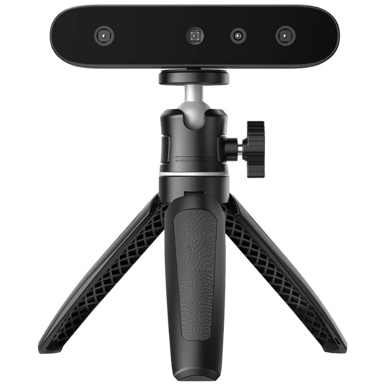
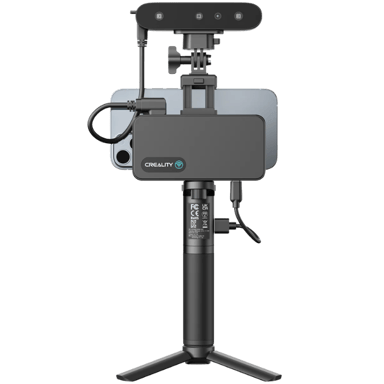
 Recaptor